들어가며
이마트 앱은 Vue SPA 프레임워크로 개발되어 있습니다. Vue 페이지 번들링 파일을 S3에 업로드하고, JSP에서 이를 호출해 페이지를 서빙하는 구조인데요. 네이티브 환경에서 멀티웹뷰로 운영되고 있었습니다.
문제는 페이지 이동마다 새 웹뷰를 생성하고, 새 웹뷰는 JSP를 호출하고, JSP는 S3로부터 Vue 번들 전체를 다시 로드해 단 하나의 페이지만 그린다는 점이었습니다.
[기존 멀티웹뷰 구조]

Native App
    ├── WebView 1 (홈)
    │   └── JSP → S3 (Vue 번들 전체 로드) → 홈 렌더링
    │
    ├── WebView 2 (상품상세)
    │   └── JSP → S3 (Vue 번들 전체 로드) → 상품상세 렌더링
    │
    └── WebView 3 (장바구니)
        └── JSP → S3 (Vue 번들 전체 로드) → 장바구니 렌더링
예전부터 싱글웹뷰 전환 시도가 있었지만, 세 가지 이유로 번번이 실패했습니다.
페이지 미유지
이전 페이지 상태가 유지되지 않음
스크롤 초기화
이전 페이지의 스크롤 위치가 유지되지 않음
애니메이션 미동작
뒤로가기/앞으로가기 전환 애니메이션 없음
- 이전 페이지가 유지되지 않음
- 이전 페이지의 스크롤이 유지되지 않음
- 뒤로가기/앞으로가기 애니메이션 미동작 이번 글에서는 이 문제들을 어떻게 해결했는지 공유하려고 합니다.
1. 페이지 캐싱: keep-alive의 함정
- 전역 Store 의존성 발견
- Composable 패턴으로 인스턴스화
- keep-alive와 함께 캐싱 성공
첫 번째 시도와 실패
Vue의 keep-alive를 사용하면 컴포넌트를 캐싱할 수 있습니다. 간단히 적용하면 될 줄 알았습니다.
<template>
  <keep-alive>
    <router-view />
  </keep-alive>
</template>
하지만 기대와 달리 페이지 상태가 제대로 캐싱되지 않았습니다. 원인은 대부분의 비즈니스 로직이 Pinia 전역 상태에 묶여 있었기 때문입니다.
// 기존 구조: 전역 store에 모든 상태 존재
export const useProductStore = defineStore('product', {
  state: () => ({
    productData: null,      // 전역 상태
    relatedProducts: [],
    reviews: []
  }),
  actions: {
    async fetchProduct(skuCode) {
      this.productData = await productApi.getProduct(skuCode);
    }
  }
});
keep-alive는 컴포넌트의 script 내 변수와 함수만 캐싱합니다. 외부에서 참조하는 전역 상태는 캐싱 대상이 아니었습니다. 상품 A를 보다가 상품 B로 이동하면, 전역 store의 productData가 상품 B 데이터로 덮어씌워지고, 뒤로가기해도 상품 A 데이터는 이미 사라진 뒤였습니다.
해결: Composable 패턴으로 상태 인스턴스화
해결책은 전역으로 관리될 필요 없는 로직을 Composable로 옮기는 것이었습니다. 컴포넌트가 생성될 때마다 Composable의 인스턴스를 새로 생성하면, 각 컴포넌트가 독립적인 상태를 가지게 됩니다.
// composables/product.ts
export const useProductData = () => {
  // 인스턴스별 독립 상태
  const productData = ref<GeneralProductInfo | null>(null);
  const isPending = ref(false);

  const fetchProduct = async (skuCode: string) => {
    isPending.value = true;
    productData.value = await productApi.getProduct(skuCode);
    isPending.value = false;
  };

  return { productData, isPending, fetchProduct };
};
<!-- ProductView.vue -->
<script setup lang="ts">
// 컴포넌트마다 독립 인스턴스 생성
const { productData, isPending, fetchProduct } = useProductData();

onMounted(() => fetchProduct(route.query.sku_code));
</script>
이제 keep-alive로 컴포넌트가 캐싱되면, Composable 인스턴스도 함께 캐싱됩니다. 상품 A와 상품 B 페이지가 각자의 상태를 독립적으로 유지하게 되었습니다.
부가 효과: Headless UI 패턴
이 과정에서 자연스럽게 Headless UI 패턴이 적용되었습니다. 비즈니스 로직이 Composable에 응집되면서, 컴포넌트는 이벤트 전달과 UI 렌더링만 담당하게 되었습니다.
[레이어 분리]

Component (UI + 이벤트만)
    ↓
Composable (비즈니스 로직)
    ↓
API Layer (HTTP 통신)
비즈니스 로직이 한 곳에 모여 있으니, 컴포넌트를 빠르게 교체할 수 있고 다른 컴포넌트에서도 쉽게 재사용할 수 있게 되었습니다.
2. fullPath 기반 캐싱 키
문제: 같은 컴포넌트, 다른 페이지
일반상품상세 페이지를 예로 들면, /webapp/product/view?sku_code=1과 /webapp/product/view?sku_code=2는 같은 ProductView 컴포넌트를 사용하지만 서로 다른 페이지입니다.
기본 keep-alive는 컴포넌트 단위로 캐싱하기 때문에, 두 페이지를 구분하지 못했습니다.
<!-- 문제: ProductView 컴포넌트 1개만 캐싱됨 -->
<keep-alive>
  <router-view />
</keep-alive>
해결: VNode 동적 생성
fullPath를 기준으로 캐싱 단위를 설정하고, Vue의 h 함수로 가상 DOM 노드(VNode)를 동적 생성했습니다.
// 캐시 키 생성
const generateCacheKey = (route: RouteLocationNormalized) => {
  return route.fullPath;  // /webapp/product/view?sku_code=1
};
<template>
  <router-view v-slot="{ Component, route }">
    <keep-alive :include="cachedPages">
      <component
        :is="wrapComponent(Component, route)"
        :key="route.fullPath"
      />
    </keep-alive>
  </router-view>
</template>

<script setup lang="ts">
const wrapComponent = (Component, route) => {
  return h(Component, { key: route.fullPath });
};
</script>
이제 sku_code=1과 sku_code=2가 별도의 캐시 항목으로 관리됩니다.
3. Props Drilling 해결: Context 패턴
문제: 깊어지는 Props 전달
전역 상태를 Composable로 옮기면서 새로운 문제가 생겼습니다. 최상위 컴포넌트에서 생성한 인스턴스를 자식 컴포넌트까지 props로 전달해야 했습니다.
<!-- Props Drilling 지옥 -->
<ProductView>
  <ProductHeader :product="product" />
  <ProductContent :product="product">
    <ProductInfo :product="product">
      <ProductPrice :product="product" />  <!-- 4단계... -->
    </ProductInfo>
  </ProductContent>
</ProductView>
해결: provide/inject 기반 Context
Vue의 provide/inject를 활용한 Context 패턴으로 해결했습니다.
// context/product.ts
import { provide, inject, InjectionKey } from 'vue';
import { useProductData } from '@/composables/product';

type ProductContextType = ReturnType<typeof useProductData>;
const ProductContextKey: InjectionKey<ProductContextType> = Symbol('ProductContext');

// Provider: 페이지 컴포넌트에서 호출
export const provideProductContext = () => {
  const result = useProductData();
  provide(ProductContextKey, result);
  return result;
};

// Consumer: 자식 컴포넌트에서 호출
export const useProductContext = () => {
  const context = inject(ProductContextKey);
  if (!context) {
    throw new Error('ProductContext 범위 밖에서 호출되었습니다.');
  }
  return context;
};
<!-- ProductView.vue (최상위) -->
<script setup lang="ts">
const { productData, fetchProduct } = provideProductContext();
</script>

<!-- ProductPrice.vue (깊은 자식) -->
<script setup lang="ts">
// props 없이 바로 접근
const { productData } = useProductContext();
</script>
페이지별로 Context를 끊어 사용하기 때문에, keep-alive에서도 페이지별로 독립적인 상태가 유지됩니다.
4. 스크롤 위치 복원
스크롤 복원은 Vue Router의 scrollBehavior로 간단히 해결했습니다.
// router/index.ts
const router = createRouter({
  history: createWebHistory(),
  scrollBehavior(to, from, savedPosition) {
    if (savedPosition) {
      // 뒤로가기/앞으로가기: 저장된 위치로 복원
      return savedPosition;
    }
    // 새 페이지: 최상단
    return { top: 0 };
  }
});
5. 페이지 방향 감지와 캐시 관리
문제: 언제 캐시를 지워야 하는가
캐싱이 잘 되는 것도 중요하지만, 적절히 캐시를 제거하는 것도 중요했습니다.
- 뒤로가기 시: 현재 페이지 캐시 제거
- 이전에 캐싱된 페이지를 새로 진입할 경우: 기존 캐시 제거 후 리마운트 문제는 뒤로가기 액션이 다양하다는 점이었습니다. 헤더의 백버튼, 네이티브 뒤로가기 버튼, 스와이프 제스처 등 OS별로 방법이 달랐습니다.
해결: history.state.position 활용
모든 뒤로가기 케이스가 history.back()을 호출하고, 이때 popstate 이벤트가 발생한다는 것을 확인했습니다. history.state.position의 이동 전후 값을 비교해 방향을 감지했습니다.
// stores/modules/navigation.ts
export const useNavigationStore = defineStore('navigation', {
  state: () => ({
    direction: 'forward' as 'forward' | 'back',
    stack: [] as RouteInfo[],
    previousPosition: 0
  }),

  actions: {
    detectDirection() {
      const currentPosition = history.state?.position ?? 0;

      if (currentPosition < this.previousPosition) {
        this.direction = 'back';
        this.removeCurrentFromCache();
      } else {
        this.direction = 'forward';
      }

      this.previousPosition = currentPosition;
    },

    removeCurrentFromCache() {
      const currentPath = router.currentRoute.value.fullPath;
      this.stack = this.stack.filter(r => r.fullPath !== currentPath);
    }
  }
});
// main.ts
window.addEventListener('popstate', () => {
  navigationStore.detectDirection();
});
이 방향 정보는 추후 앞으로가기 애니메이션 적용에도 활용할 예정입니다.
6. 점진적 마이그레이션
keep-alive를 최상단에 걸면 모든 페이지가 캐싱됩니다. 하지만 모든 페이지를 한 번에 전환하기엔 리스크가 컸습니다.
route meta에 캐싱 플래그를 설정하고, keep-alive의 include 속성으로 캐싱할 페이지를 관리했습니다.
// router/routes.ts
{
  path: '/webapp/product/view',
  component: ProductView,
  meta: {
    keepAlive: true,
    cacheName: 'ProductView'
  }
},
{
  path: '/webapp/legacy/page',
  component: LegacyView,
  meta: {
    keepAlive: false  // 기존 방식 유지
  }
}
<template>
  <router-view v-slot="{ Component, route }">
    <keep-alive :include="cachedPages">
      <component :is="Component" :key="getKey(route)" />
    </keep-alive>
  </router-view>
</template>

<script setup lang="ts">
const cachedPages = computed(() => {
  return router.getRoutes()
    .filter(route => route.meta.keepAlive)
    .map(route => route.meta.cacheName);
});
</script>
7. 성과
성능 개선
| 항목 | 비교 | 값 (% 감소) |
|---|---|---|
| 페이지 전환 시간(ms) | 88 % 감소 | |
| 메모리 사용량(%) | 70 % 감소 |
| 지표 | Before | After | 개선율 |
|---|---|---|---|
| 페이지 전환 시간 | ~1,800ms | ~400ms | 88% 감소 |
| Vue 번들 로드 | 매 페이지 | 최초 1회 | N-1회 절감 |
| 메모리 사용량 | 웹뷰 × N개 | 웹뷰 1개 | ~70% 감소 |
사용자 경험 개선
Before (멀티웹뷰)
장점
- 네이티브 웹뷰 격리로 페이지 간 충돌 없음
고려할 점
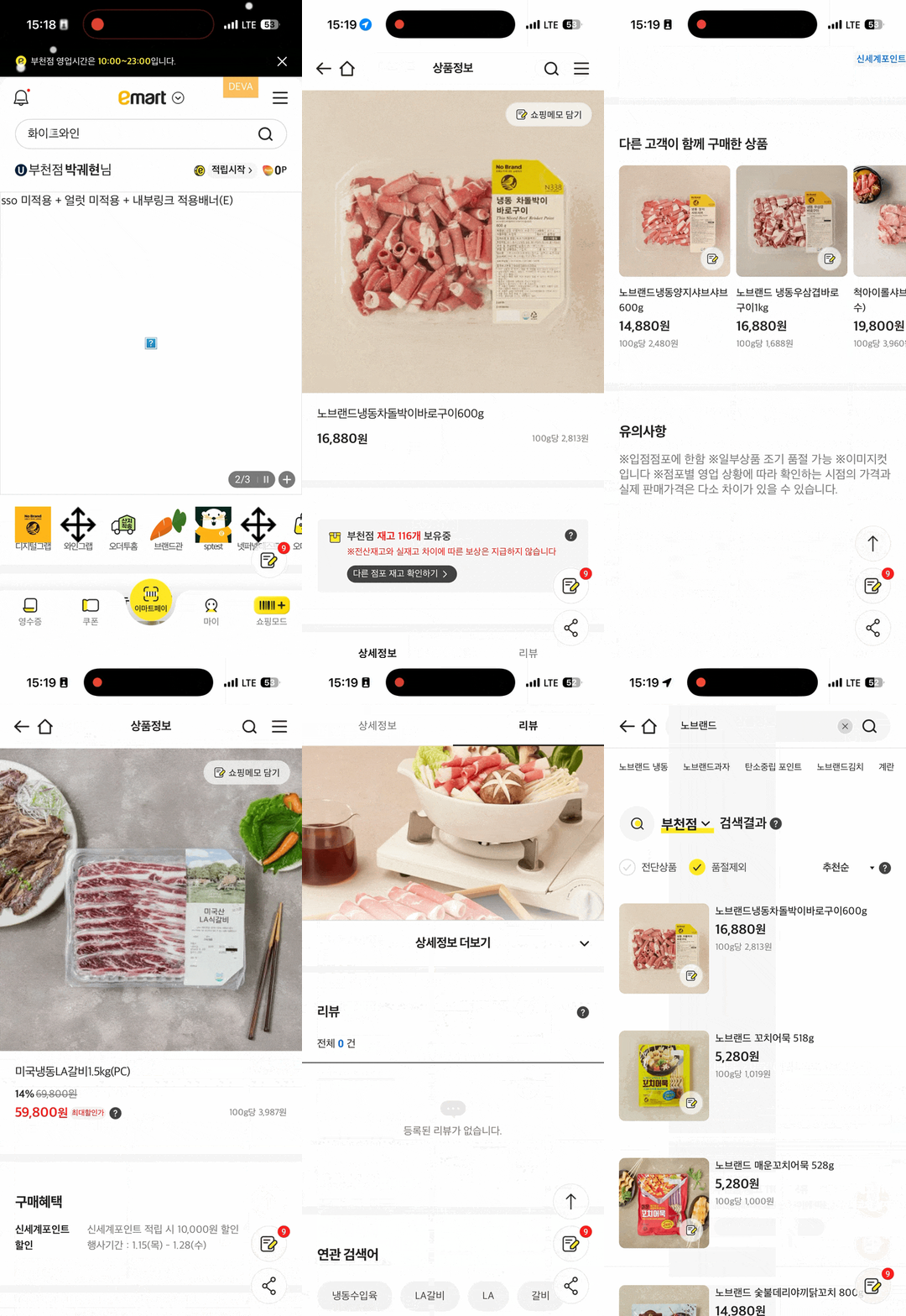
- 뒤로가기 시 상태 초기화
- 스크롤 위치 최상단으로 리셋
- 페이지 전환 애니메이션 없음
- 매번 Vue 번들 전체 로드
After (싱글웹뷰 + keep-alive)
장점
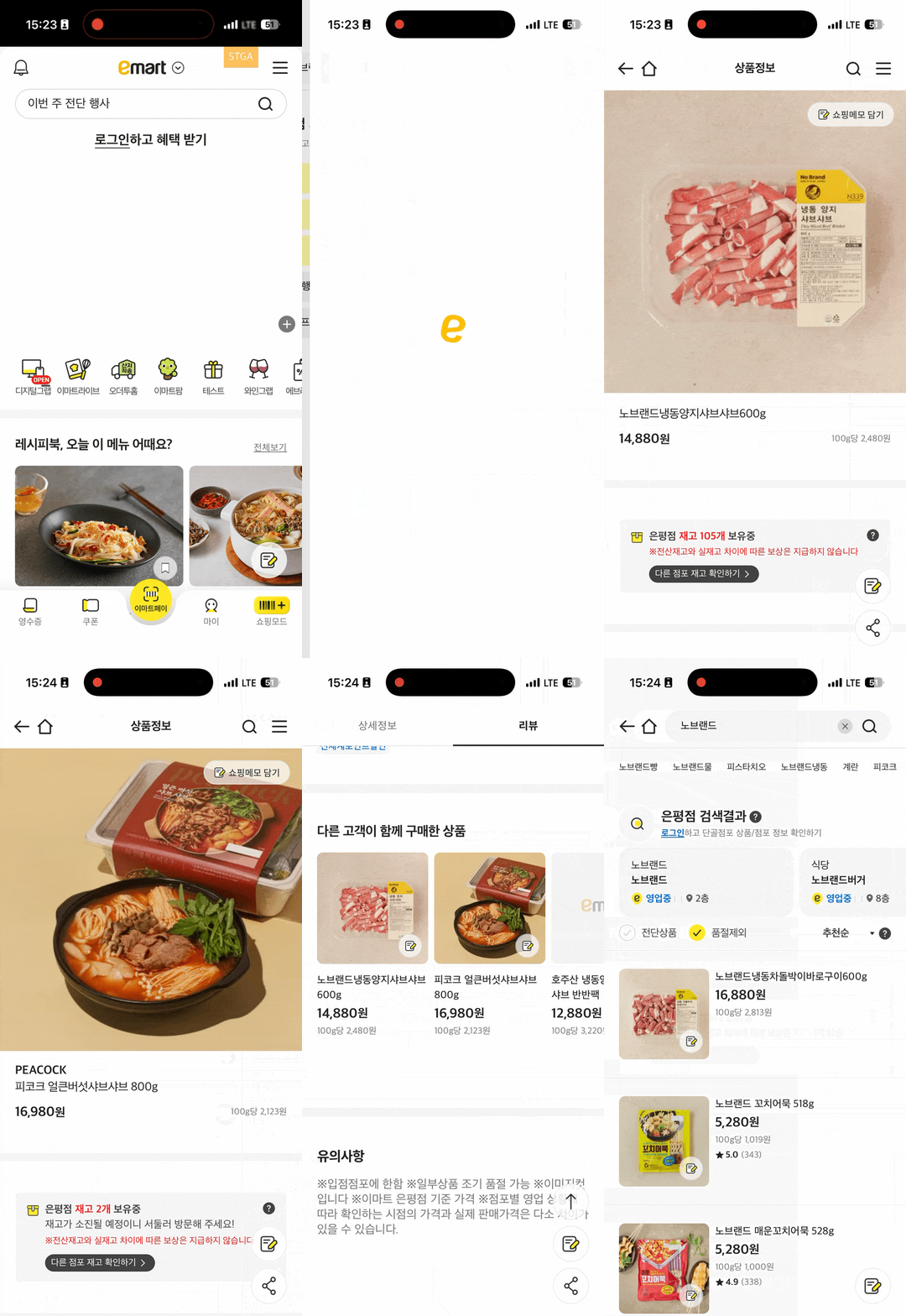
- 뒤로가기 시 상태 완벽 보존
- 스크롤 원래 위치 복원
- 네이티브 수준 전환 애니메이션
- Vue 번들 최초 1회만 로드
고려할 점
- 캐시 관리 로직 필요
| 항목 | Before | After |
|---|---|---|
| 뒤로가기 시 상태 | 초기화 | 완벽 보존 |
| 뒤로가기 시 스크롤 | 최상단 | 원래 위치 복원 |
| 페이지 전환 애니메이션 | 없음 | 네이티브 수준 |
Before
After
마치며
싱글웹뷰 전환은 단순히 keep-alive 하나 붙이는 작업이 아니었습니다. 전역 상태 의존성 해소, 캐싱 키 설계, Props Drilling 해결, 방향 감지까지 여러 문제를 풀어야 했습니다.
- Composable 상태 인스턴스화
- fullPath 캐싱 키
- Context 패턴
- 스크롤 복원
- 방향 감지 + 캐시 관리
- 점진적 마이그레이션
결과적으로 페이지 전환 속도 86% 개선, 메모리 사용량 70% 감소를 달성했고, Headless UI 패턴 적용으로 코드 유지보수성도 크게 향상되었습니다.
앞으로가기 애니메이션과 나머지 페이지 마이그레이션이 남아있지만, 가장 어려운 고비는 넘긴 것 같습니다.
[최종 아키텍처]

Native App
    └── Single WebView
        └── Vue Router (SPA)
            ├── keep-alive (fullPath 기반 캐싱)
            ├── Context (페이지 스코프 상태)
            ├── scrollBehavior (스크롤 복원)
            └── Navigation Direction (방향 감지)